
MobileSheets
ZubersoftMusic & Audio
4.7548.00 Reviews
- Version
- 3.9.43 (Build 592)
- Installs
- 100.00K
- Age Rating
- Everyone
Screenshots
Our Review of MobileSheets
 Analysis by Appyee
Have you ever found yourself juggling a stack of sheet music, trying to keep it all organized while also keeping pace with your practice? Well, let me introduce you to MobileSheets – a game-changer for musicians who want their music library at their fingertips.
Getting Started with MobileSheets
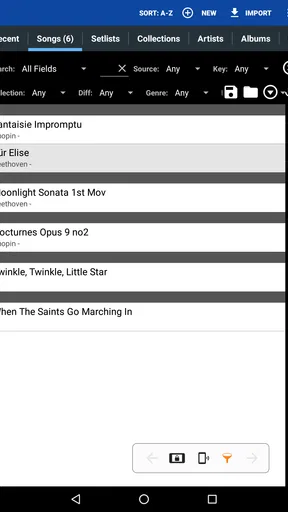
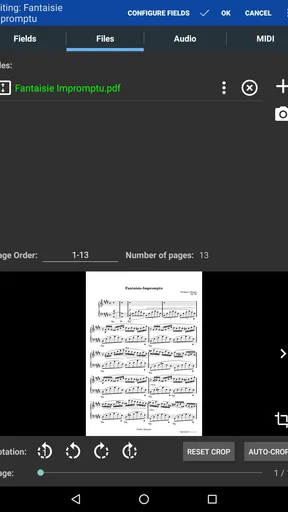
The first thing you notice when you install MobileSheets is how intuitive it is. I mean, you don’t need to be a tech genius to get it up and running. The app welcomes you with an easy-on-the-eyes interface that’s both attractive and functional. You’re prompted to import your sheet music, which can be done via a variety of methods. Whether you’ve got files stored in the cloud or on your device, the app makes it a breeze to compile your collection.
Features That Stand Out
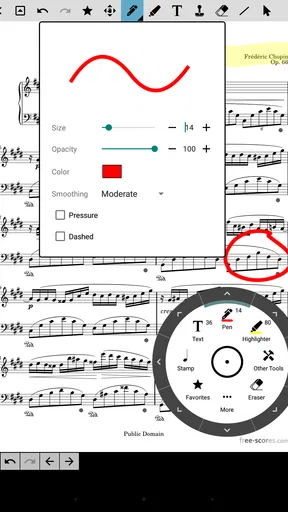
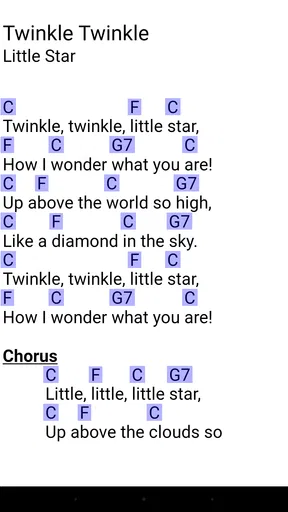
One feature that I found particularly handy is the ability to annotate directly on the sheet music. Imagine this: you’re in the middle of rehearsal, and you need to jot down quick notes. With MobileSheets, it’s as simple as tapping your screen. The app offers a range of annotation tools, so whether you’re adding fingerings, notes, or highlighting passages, it’s all there.
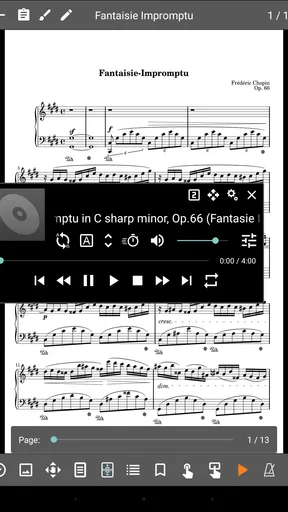
Another standout is the metronome feature. It’s built right into the app, allowing you to keep tempo without needing a separate device. I found this especially useful during practice sessions, as it meant one less thing to carry around.
Organization and Customization
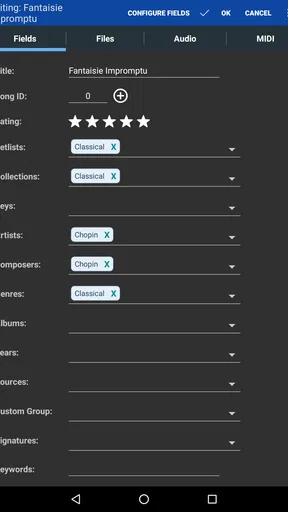
Organizing your library is another area where MobileSheets shines. You can create setlists for different performances or practice sessions, making it easy to keep track of what you need. The app also lets you sort your music by composer, genre, or even custom categories. It’s like having a personal librarian in your pocket!
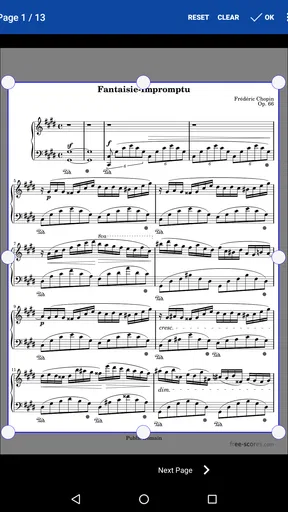
Customization doesn’t end there. MobileSheets allows you to tweak the display settings to suit your preferences. Whether you prefer a dark mode for night performances or need to adjust the brightness, the app has you covered. I loved how adaptable it was to different environments and lighting conditions.
Performance and Usability
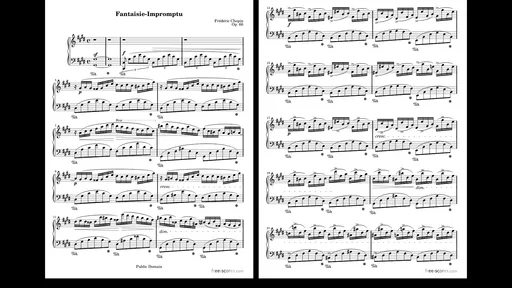
In terms of performance, MobileSheets is pretty solid. It loads quickly and switching between pieces is seamless. There’s a great tool called the "half-page turn," which is especially useful. It lets you view the bottom of the current page while simultaneously displaying the top of the next one, ensuring you never miss a beat when turning pages.
The app also supports Bluetooth foot pedals for hands-free page turning. If you’re performing live, this feature can be a lifesaver, allowing you to focus on your instrument without the distraction of manual page flips.
Final Thoughts
Overall, MobileSheets is a must-have for any musician looking to modernize their sheet music management. It’s packed with features that make both practice and performance more efficient and enjoyable. The ease of use, combined with its robust capabilities, makes it a standout app in the world of digital sheet music.
If you’re ready to ditch the paper and embrace a more streamlined, digital approach, I highly recommend giving MobileSheets a try. It’s the kind of app that once you start using, you’ll wonder how you ever managed without it.
Verdict
Strengths of MobileSheets
- Highly customizable sheet music display.
- Supports various file formats.
- Easy annotation tools.
- Efficient library management.
- Responsive customer support.
Limitations of MobileSheets
- Requires a learning curve for beginners.
- Limited free version features.
- Occasional sync issues.
- No built-in sheet music store.
- Only available for Android.
Similar Picks in This Category
View All
YouTube Music
Google LLC4.4

Samsung Music
Samsung Electronics Co., Ltd.3.8

Spotify: Music and Podcasts
Spotify AB4.3

JioSaavn - Music & Podcasts
Saavn Media Limited4.3

Lark Player:Music Player & MP3
Lark Player Studio - Music, MP3 & Video Player4.6

StarMaker: Sing Karaoke Songs
SKYWORK AI PTE. LTD.4.3
Frequently Asked Questions
What features does MobileSheets offer for musicians?
MobileSheets is designed for musicians who need a comprehensive tool for managing their sheet music. It offers features like sheet music organization, annotations, setlist creation, and support for various file formats including PDFs and images. Additionally, it provides audio playback for backing tracks and a metronome to assist with practice.
Is MobileSheets compatible with both Android and iOS devices?
MobileSheets is primarily available for Android devices. However, a separate version called 'MobileSheets for iOS' is available for Apple users. Both versions provide similar functionalities, but it’s essential to download the correct version for your operating system to ensure compatibility and optimal performance.
How user-friendly is the interface of MobileSheets?
The interface of MobileSheets is designed to be intuitive and user-friendly, catering to musicians of all levels. It features a clean layout with easy navigation, allowing users to quickly access and manage their sheet music. Customizable options enhance user experience, making it simple to adapt the interface to individual preferences.
Can I use MobileSheets for live performances?
Yes, MobileSheets is equipped with features ideal for live performances. It allows musicians to create setlists, seamlessly transition between pieces with a foot pedal, and quickly access annotations. The app supports Bluetooth devices, enabling hands-free operation during performances, which is a significant advantage for musicians on stage.
Does MobileSheets require an internet connection to function?
MobileSheets does not require an internet connection for basic functions like viewing and annotating sheet music, as it stores files locally on your device. However, an internet connection may be necessary for cloud synchronization and downloading new music. Users can manage their sheet music offline without any issues.
